HowStuffWorks Offline Viewer
Version 0.3Released 11 May 2002
Copyright © 2002 Ravi Bhavnani
Program data copyright © How Stuff Works, Inc.
All Rights Reserved
Home | Freeware | Download | Known problems | Release notes | Submit a bug report
| What's HowStuffWorks Offline Viewer? |
|
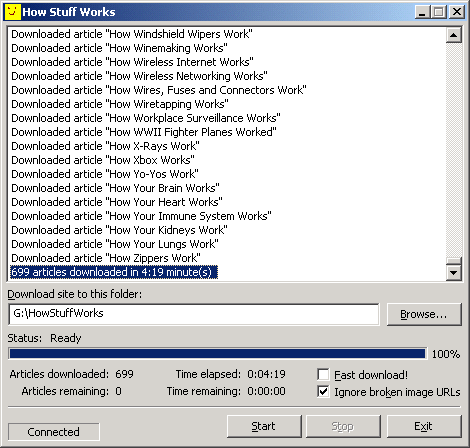
HowStuffWorks Offline Viewer allows you to browse the How Stuff Works website without having to being connected to the internet. The program downloads articles from the site to a location on your hard disk, and creates a local index that you can use to navigate the site offline. The viewer was built using a generic web resource provider framework that I developed. The framework can be used to obtain virtually any kind of information from the internet. See this article if you'd like to know more.
Note: |
|
|
| Features |
|
Some of HowStuffWorks Offline Viewer's features are:
|
| What does it cost? |
|
HowStuffWorks Offline Viewer is free. |
| Installation |
|
To install HowStuffWorks Offline Viewer, do the following:
To uninstall HowStuffWorks Offline Viewer, delete the folder C:\How_Stuff_Works. HowStuffWorks Offline Viewer doesn't touch the Windows registry and doesn't create or modify any files in the Windows or Windows system folders. |
| How to use HowStuffWorks Offline Viewer |
|
HowStuffWorks Offline Viewer is easy to use! Make sure you're connected to the internet, run the program and:
|
| Known problems |
|
None (yet). |
| Release notes |
| 0.3, released 11 May 2002 |
|
| How to submit a bug report |
|
To submit a bug report, suggestion or feature request, please send mail to ravib@ravib.com. Although I may not be able to send you a personal reply, please be assured that I read each and every message. A list of known bugs, along with the names of their discoverers will be posted at this page. |
Most of the drivel at this site is copyright © Ravi Bhavnani.
Questions or comments? Send mail to ravib@ravib.com